Stellantis

Figma, FigJam, Miro

10 weeks, 2024
Background
Stellantis, formed through the 2021 merger of Fiat Chrysler Automobiles (FCA) and PSA Group, is one of the world’s leading automotive manufacturers, featuring a portfolio of iconic brands like Jeep, Chrysler, Dodge, Peugeot, Citroën, and Maserati. This extensive brand diversity establishes Stellantis as a prominent player across both North American and European markets.

Project Scope
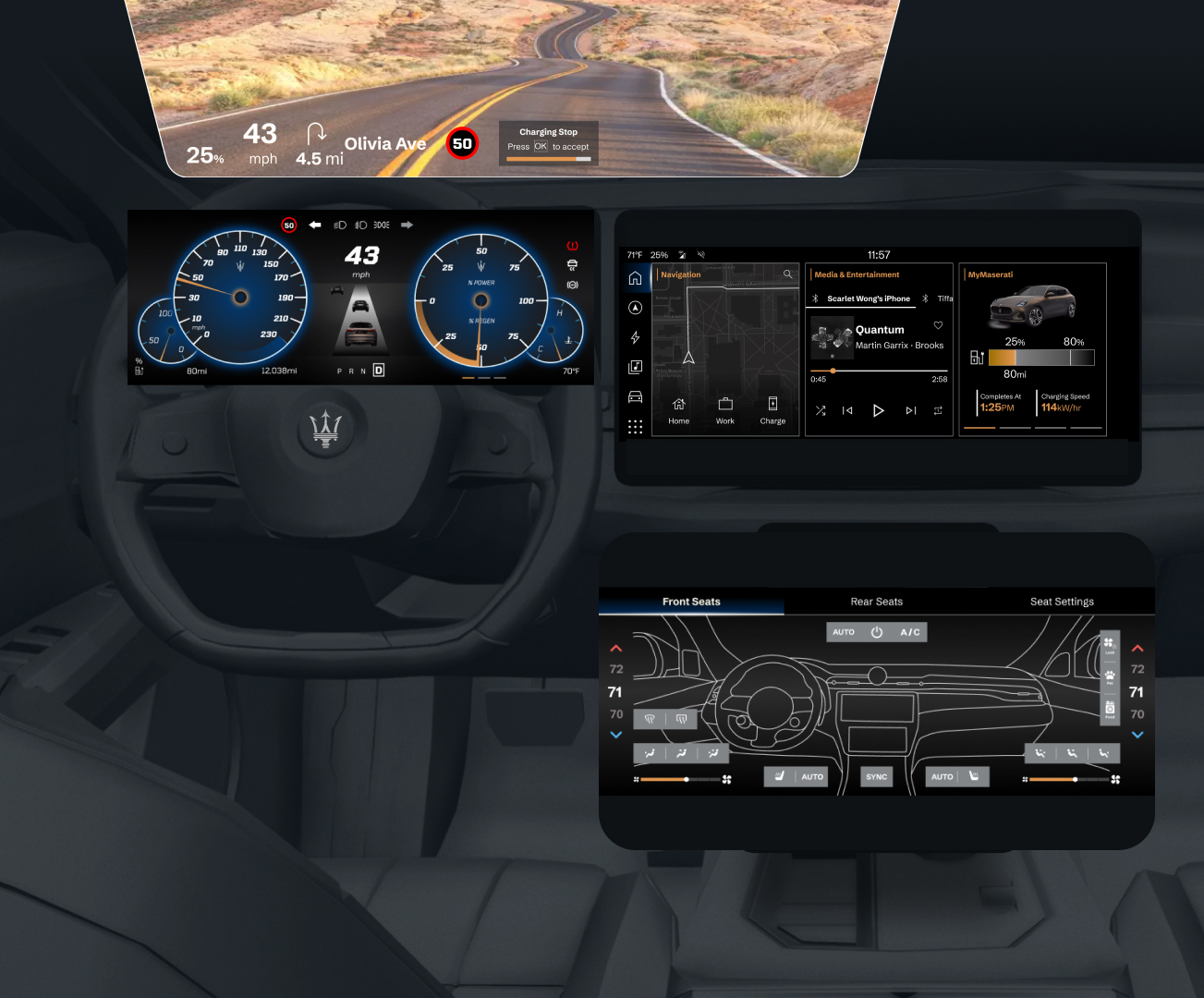
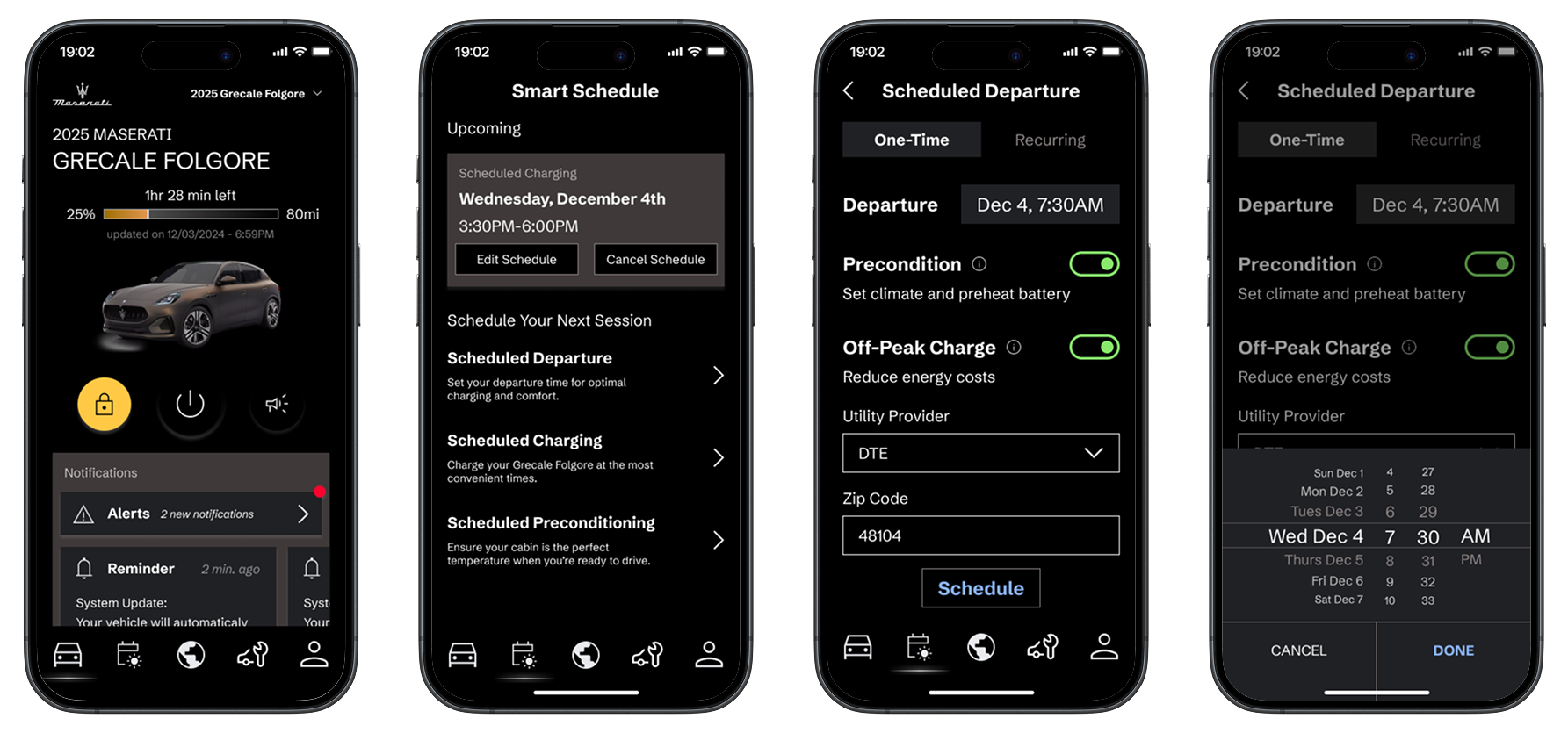
In collaboration with Stellantis, I designed in-car infotainment interfaces for a 2030 vehicle, focusing on Smart Energy Management for EVs to tackle challenges like range anxiety. I created a cohesive UI ecosystem for the Maserati Grecale Folgore, including the driver display, central display, HVAC, head-up display, and mobile app. My design integrates predictive AI/ML, real-time battery data, and intelligent route planning to optimize energy use and improve the EV driving experience. This project marks my first experience working in Automotive UX.
Key UX Objectives:
1. Intuitive Battery Insights
Design predictive battery status displays that allow drivers to easily understand and monitor battery health, extending battery life with proactive, user-friendly guidance.
2. Personalized Energy Forecasting
Use AI to anticipate energy needs based on individual driving habits, presenting consumption patterns in a clear, accessible format that helps drivers plan trips confidently.
3. Seamless Smart Charging Experience
Create an optimized, real-time charging interface that provides effortless scheduling and guidance, helping reduce range anxiety and making charging routines simple and reassuring.
Process
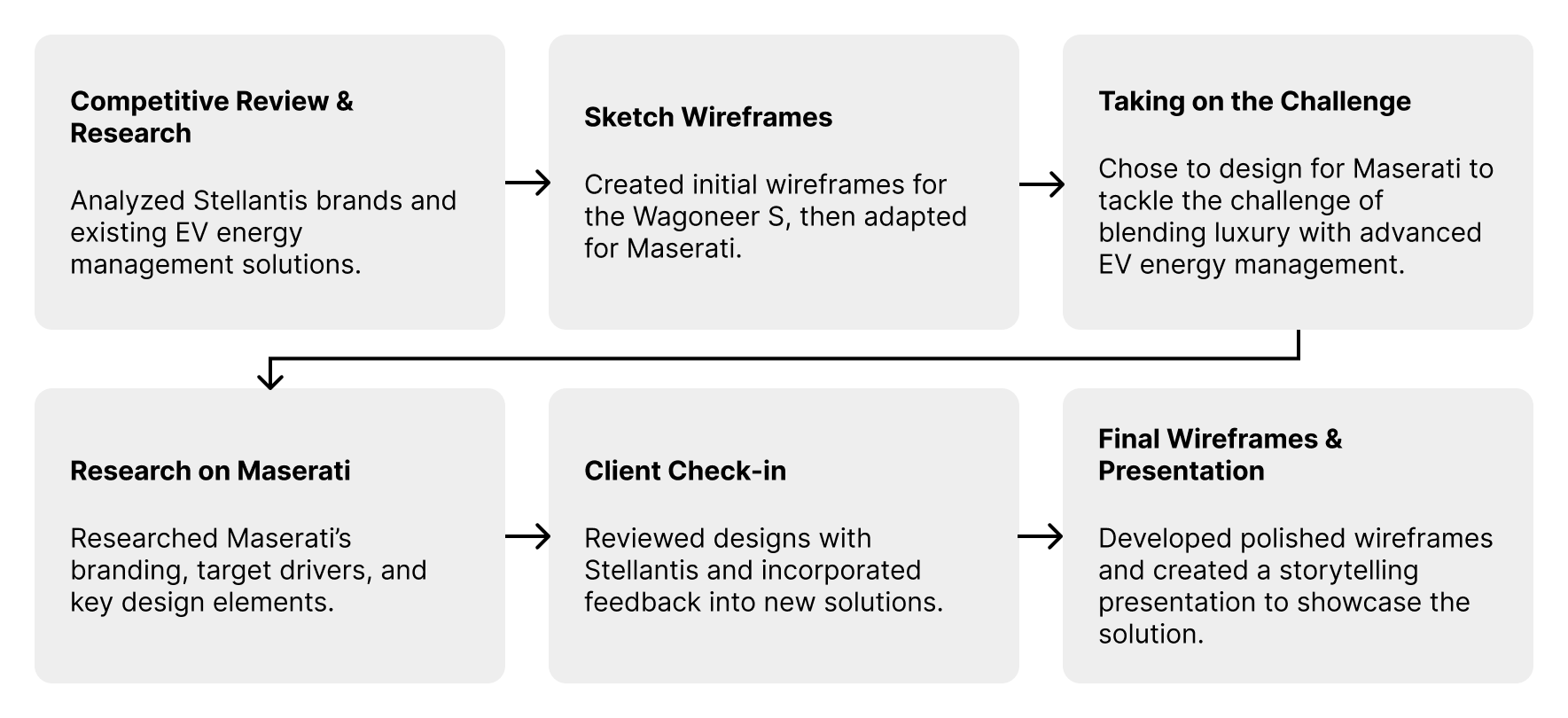
With a condensed 10-week timeline, I had to strategically allocate time for each design stage. This project taught me the importance of thinking like a product owner and managing my own design timeline.
To ensure timely completion, I:
1. Set clear mini deadlines to achieve key milestones
This made the project more manageable by breaking it into smaller, achievable goals. It also helped me stay on track and measure progress effectively.
2. Prioritized tasks to maximize efficiency
I identified high-impact tasks and focused on them first, ensuring that the most critical aspects of the design were completed early. This approach minimized last-minute stress and allowed room for refinement.
3. Maintained a flexible approach to adapt to changes and feedback
I stayed open to iterations and adjusted my design based on feedback, ensuring that the final outcome was well-informed and user-centered. This adaptability helped me navigate unexpected challenges without derailing my timeline.
Competitive Review and Research
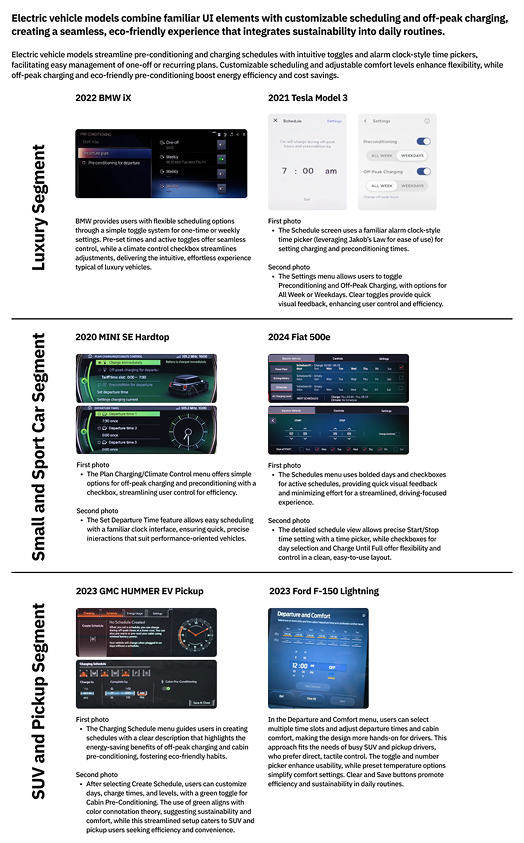
I conducted research on EV's preconditioning scheduling feature on 6 vehicles across 3 segments: Luxury, Small & Sport Car, and SUV & Pickup.
Design Considerations:
1. Design simple, intuitive interfaces for one-off and recurring schedules using familiar UI elements in time setting functions (time pickers, toggles)
2. Use visual cues for eco-friendly options (green toggles, color coding) to nudge habits
3. Integrate predictive AI for optimal pre-conditioning based on weather
Sketch Wireframes
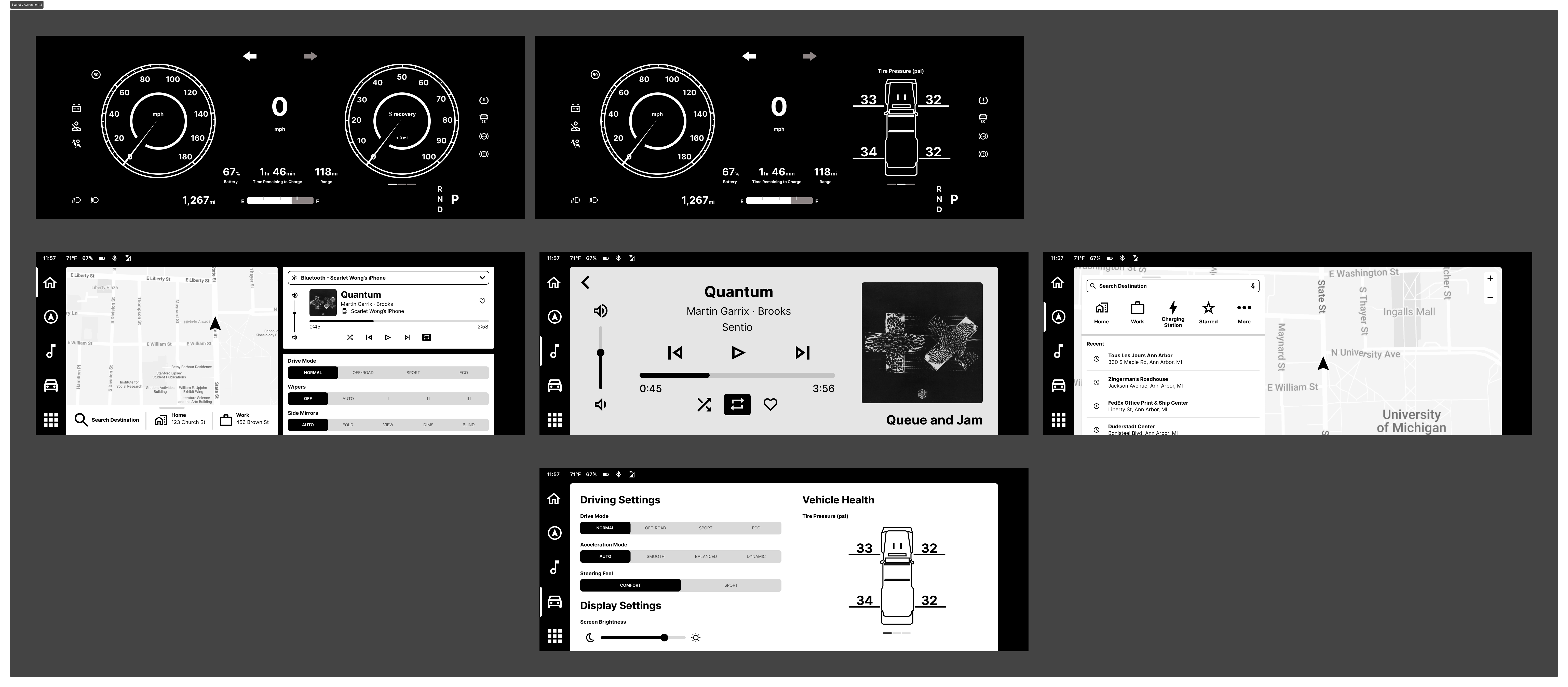
For this individual wireframe assignment, I designed detailed layouts for both the cluster/driver display and the head unit/center screen of the Jeep Wagoneer S, an electric vehicle. I used a fully black-and-white design to emphasize usability and information architecture.
What I learnt from my Sketch Wireframes
1. Font and icon sizes are crucial for usability, especially in Automotive UX, where glanceability ensures safe driving.
2. A dark mode option enhances accessibility and user comfort.
3. Brand personality is conveyed not only through colors, but also UI design.
Final Wireframes
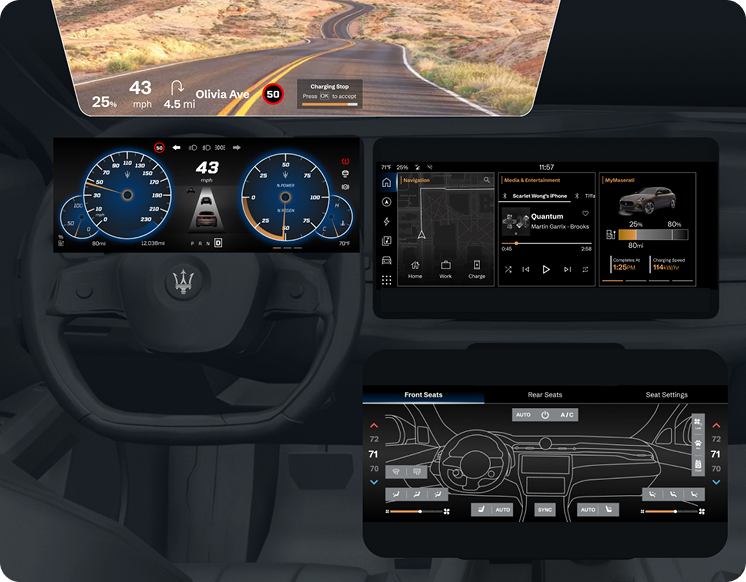
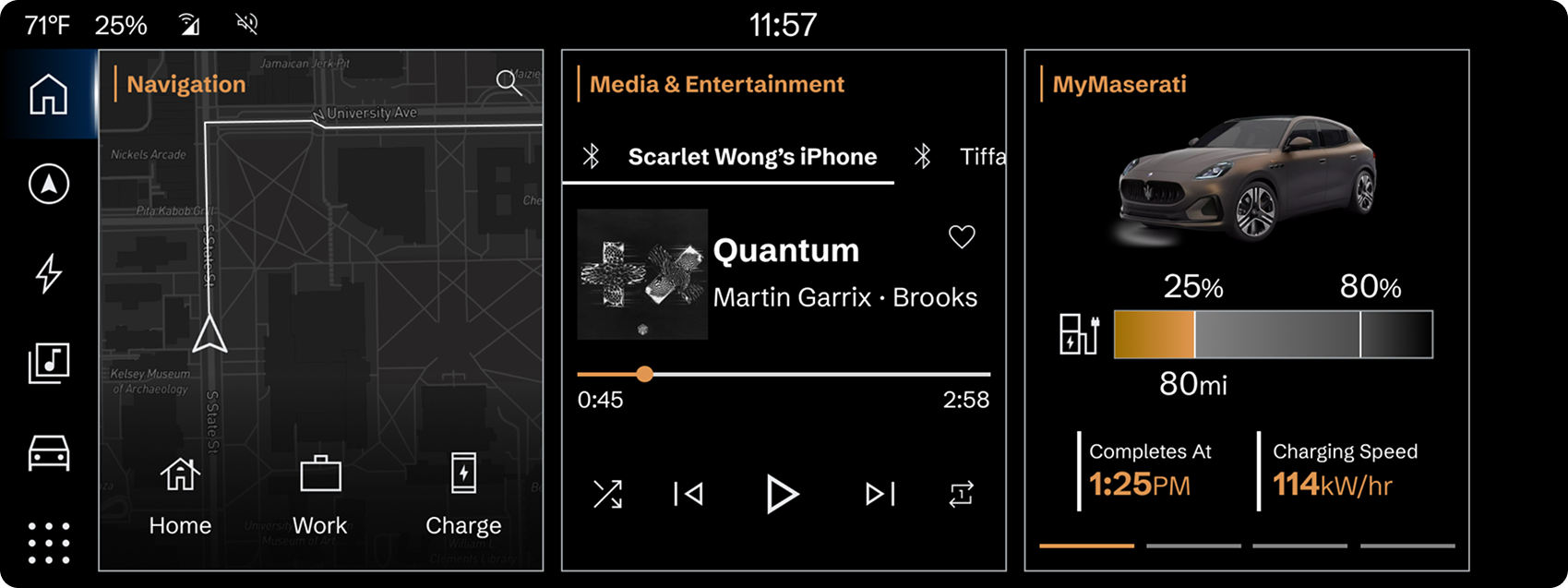
Design Decisions
1. Alleviate Range Anxiety with Predictive AI
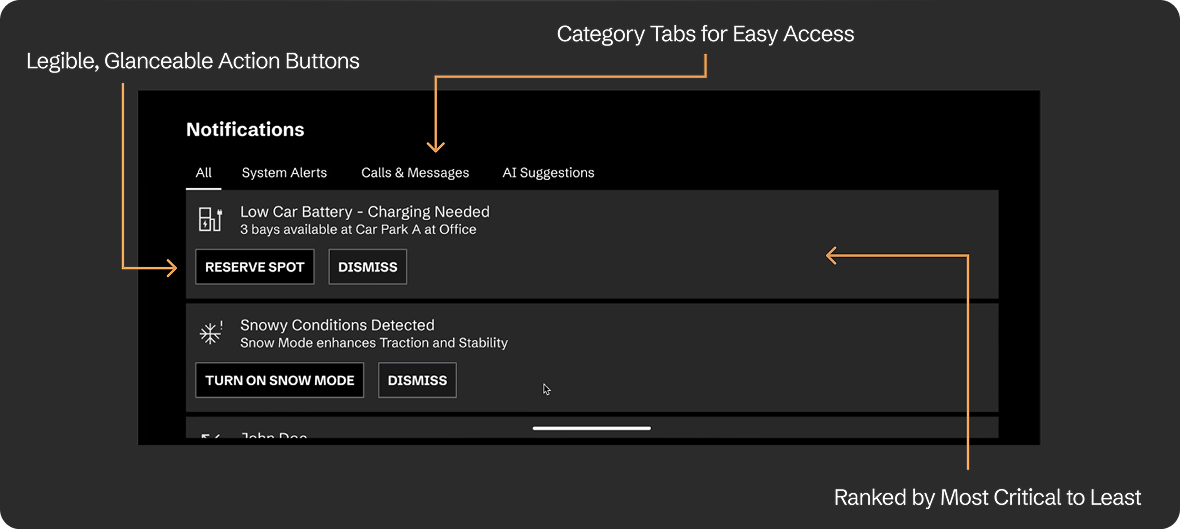
- Most urgent, important updates always appear at the top
- Predictive AI and ML to evaluate the urgency of each notification, helping to prioritize what matters most at the moment to the driver
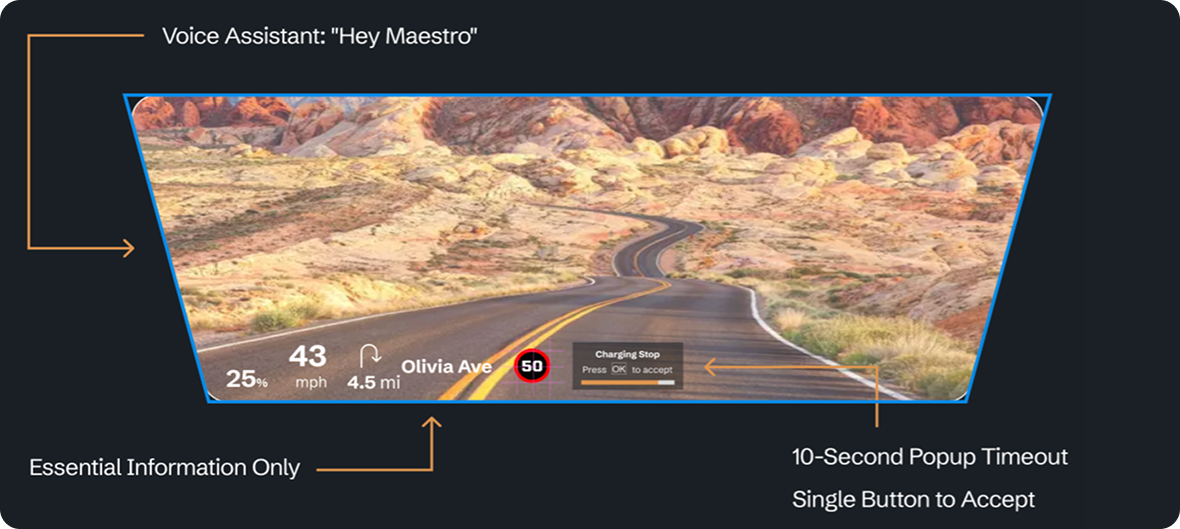
- Driver can say “Hey Maestro” to activate voice assistant hands-free
- When a charging stop is suggested, they can either:
Press the OK button on the steering wheel within 10 seconds, Or, say “Hey Maestro” to request for the nearest charging stop
2. Smart Scheduling on Mobile App
- To reduce energy costs, drivers can charge their car during off-peak hours by entering their utility provider and zip code.
- Gives drivers flexibility and control to plan ahead their charging and preconditioning sessions.
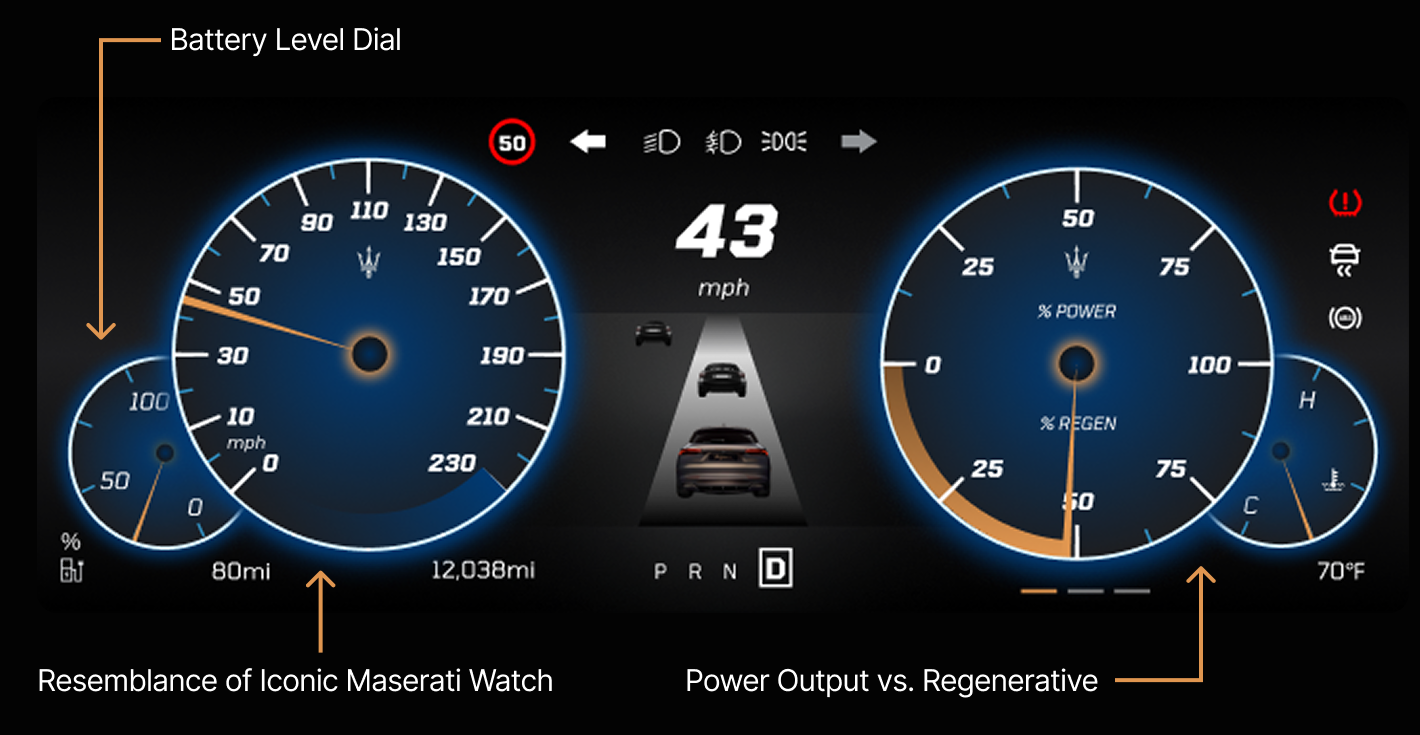
3. Visibility of Real-Time Vehicle Status on Instrument Cluster
Next Steps and Reflection

This has been my favorite project so far!
It was my first deep dive into Automotive UX, and I loved the challenge of designing for real-time decision-making and energy efficiency.
Balancing glanceability, personalization, and predictive AI pushed me to think beyond just visuals and focus on seamless user interactions. Managing my own design timeline also taught me how to prioritize effectively and stay adaptable.
This experience reinforced my passion for building intuitive, user-centered solutions, especially in emerging mobility spaces.